
Intel Matrix Storage Manager User's Manual

Intel® Matrix Storage Manager Installation
R
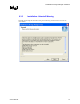
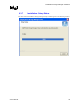
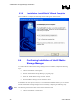
6.3.8 Installation: InstallShield* Wizard Complete
After installation is complete, the following window will appear. Select ‘Finish’:
6.4 Confirming Installation of Intel® Matrix
Storage Manager
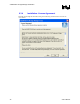
To confirm that the Intel® Matrix Storage Manager has been installed, complete the following
steps:
Click on Start Button / All Programsx
x
x
x
x
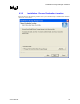
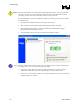
Find the ‘Intel® Matrix Storage Manager’ program group
Select the ‘Intel® Matrix Storage Console’ shortcut
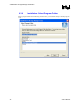
The Intel® Matrix Storage Console should be shown
If installation was done by have-disk, F6, or an unattended installation method, you can confirm
that the Intel® Matrix Storage Manager has been loaded by completing the following steps:
Note: The following instructions assume classic mode in Windows* XP:
Click on Start Button / Control Panel
36 User's Manual