
Intel Matrix Storage Manager User's Manual

R
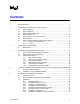
Contents
1 Document Scope.................................................................................................................7
2 Intel® Matrix Storage Manager Feature Overview ............................................................. 8
2.1 RAID 0 (Striping) .................................................................................................... 8
2.2 RAID 1 (Mirroring) .................................................................................................. 9
2.3 RAID 5 (Striping with Parity)................................................................................... 9
2.4 RAID 10 (RAID 1+0)............................................................................................. 10
2.5 Matrix RAID (Two Volumes Per Array) ................................................................ 10
2.6 RAID Migration ..................................................................................................... 11
2.7 Advanced Host Controller Interface (AHCI) Support ........................................... 11
2.7.1 Native Command Queuing ................................................................... 12
2.7.2 Hot Plug ................................................................................................ 12
3 Configuring the BIOS for RAID ......................................................................................... 13
3.1 BIOS Settings ....................................................................................................... 13
4 Intel® Matrix Storage Manager Option ROM.................................................................... 14
4.1 How to Enter the Option ROM User Interface...................................................... 14
4.2 Option ROM Version Identification....................................................................... 14
4.3 RAID Volume Actions........................................................................................... 15
4.3.1 RAID Volume Creation ......................................................................... 15
4.3.2 RAID Volume Creation Example .......................................................... 15
4.3.3 RAID Volume Deletion.......................................................................... 22
4.3.4 RAID Volume Deletion Example........................................................... 22
4.3.5 Reset Disks to Non-RAID ..................................................................... 23
4.3.6 Reset Disks to Non-RAID Example ...................................................... 24
5 Loading the Intel® Matrix Storage Manager Driver During Operating System Installation26
5.1 F6 Floppy Diskette Creation................................................................................. 26
5.2 Installation Using F6 Installation Method ............................................................. 27
6 Intel® Matrix Storage Manager Installation....................................................................... 28
6.1 Installation Caution............................................................................................... 28
6.2 Where to Obtain Intel® Matrix Storage Manager................................................. 28
6.3 Installation ............................................................................................................ 29
6.3.1 Installation Steps................................................................................... 29
6.3.2 Installation: Welcome Screen ............................................................... 30
6.3.3 Installation: Uninstall Warning .............................................................. 31
6.3.4 Installation: License Agreement............................................................ 32
6.3.5 Installation: Choose Destination Location ............................................ 33
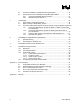
6.3.6 Installation: Select Program Folder ...................................................... 34
6.3.7 Installation: Setup Status ...................................................................... 35
6.3.8 Installation: InstallShield* Wizard Complete ......................................... 36
User's Manual 3