
Intel Matrix Storage Manager User's Manual

Intel® Matrix Storage Manager Installation
R
6 Intel® Matrix Storage
Manager Installation
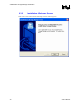
After installing an operating system onto a RAID volume or on a Serial ATA hard drive when in
RAID or AHCI mode, the Intel® Matrix Storage Manager can be loaded from within Windows.
This installs the user interface (i.e. Intel® Matrix Storage Console), the tray icon service, and the
monitor service onto the system, allowing you to monitor the health of your RAID volume and/or
hard drives. This is not required; however, it is recommended.
This method can also be used to upgrade to a newer version of the Intel® Matrix Storage
Manager.
6.1 Installation Caution
Caution: The Intel® Matrix Storage Manager driver may be used to operate the hard drive from which the
system is booting or a hard drive that contains important data. For this reason, you cannot remove
or un-install this driver from the system; however, you will have the ability to un-install all other
non-driver components.
The following non-driver components can be un-installed:
Intel® Matrix Storage Consolex
x
x
x
x
Help documentation
Start Menu shortcuts
System tray icon service
RAID monitor service
6.2 Where to Obtain Intel® Matrix Storage
Manager
If a CD-ROM was included with your motherboard or system, it should include the Intel® Matrix
Storage Manager.
The Intel® Matrix Storage Manager can also be downloaded from the following Intel website:
http://downloadfinder.intel.com/scripts-df/Product_Filter.asp?ProductID=2101
28 User's Manual