
Intel Matrix Storage Manager User's Manual
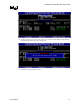
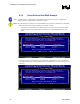

Loading the Intel® Matrix Storage Manager Driver During Operating System Installation
R
5 Loading the Intel® Matrix
Storage Manager Driver
During Operating System
Installation
In order to install an operating system onto a RAID volume or onto a Serial ATA hard drive when
in AHCI mode, the Intel® Matrix Storage Manager driver must be installed during operating
system installation using the F6 installation method.
5.1 F6 Floppy Diskette Creation
To automatically create the F6 floppy diskette, download the latest Floppy Configuration Utility
from the Intel download site: http://downloadfinder.intel.com/scripts-
df/Product_Filter.asp?ProductID=2101 and run the .EXE file.
Note: Use the instructions in the F6README.txt to determine whether the system contains a 32-bit or
64-bit processor. Use F6flpy32.exe on a 32-bit system. Use F6flpy64.exe on a 64-bit system.
To manually create an F6 floppy diskette that contains the files that are needed when installing
the driver by the F6 installation method, complete the following steps:
1. Download the Intel® Matrix Storage Manager (or use the CD shipped with your motherboard
which contains the Intel® Matrix Storage Manager). The Intel® Matrix Storage Manager can
be downloaded from the following website:
http://downloadfinder.intel.com/scripts-df/Product_Filter.asp?ProductID=2101
2. The following files need to be extracted from the compressed .CAB file (which is contained
inside the Intel® Matrix Storage Manager .EXE package): IAAHCI.CAT, IAACHI.INF,
IASTOR.CAT, IASTOR.INF, IASTOR.SYS, and TXTSETUP.OEM.
3. To extract these files, run 'C:\IATA5X_MULTI.EXE –A -A -P C:\<path>' (as described in
the ‘Advanced Installation Instructions’ section of the README.TXT.)
4. After these files have been extracted, copy the IAAHCI.CAT, IAACHI.INF, IASTOR.CAT,
IASTOR.INF, IASTOR.SYS, and TXTSETUP.OEM. files to a floppy diskette. If the system
has a 32-bit processor, copy the files found in the Drivers folder; if the system has a 64-bit
processor, copy the files found in the Drivers64 folder. Note: These files should be placed in
the root directory of the floppy.
Note: Any spaces in the pathname or filename require quotes around the pathname or filename. The
switches do not require quotes. For example:
“C:\My Documents\setup.exe” –A –P
26 User's Manual