
Intel Matrix Storage Manager User's Manual

Intel® Matrix Storage Manager Option ROM
R
4.3.3 RAID Volume Deletion
Caution: All data on the RAID drives will be lost unless the volume that is selected is a RAID 1 volume.
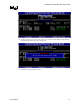
1. Select option 2 Delete RAID Volume and press the <Enter> key to delete the RAID volume.
2. Use the up and down arrow keys to select the volume you would like to delete.
3. Press the <Delete> key to delete the RAID volume. Confirm the volume deletion by pressing
the <Y> key.
4.3.4 RAID Volume Deletion Example
Caution: By performing this operation, all data on the RAID drives will be lost. If your system is currently
booting to a RAID volume and you delete the RAID volume, your system will become
unbootable.
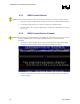
1. Select option 2 ‘Delete RAID Volume’ from the main menu window and press the <Enter>
key to select a RAID volume for deletion. The following window will appear:
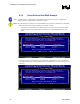
2. Select the volume and press the <Delete> key to delete the RAID volume and the following
prompt will appear:
22 User's Manual