
Intel Matrix Storage Manager User's Manual

Configuring the BIOS for RAID
R
3 Configuring the BIOS for
RAID
To install the Intel® Matrix Storage Manager, the system BIOS must include the Intel® Matrix
Storage Manager option ROM.
The Intel® Matrix Storage Manager option ROM is tied to the controller hub:
x Platforms based on the Intel® 82801GHM I/O controller hub (ICH7MDH) should use version
5.7 of the option ROM
x Platforms based on the Intel® 82801GR/GH I/O controller hub (ICH7R/ICH7DH) should use
version 5.x, where x is between 1 and 6, of the option ROM
x Platforms based on the Intel® 82801FR I/O controller hub (ICH6R) should use version 4.x of
the option ROM
x Platforms based on the Intel® 82801ER I/O controller hub (ICH5R) should use version 3.x of
the option ROM
3.1 BIOS Settings
The RAID option must be enabled in the system BIOS before the system can load the Intel®
Matrix Storage Manager option ROM.
Note: The instructions listed below are specific to motherboards manufactured by Intel with a supported
Intel chipset. The specific BIOS settings on non-Intel manufactured motherboards may differ.
Refer to the motherboard documentation or contact the motherboard manufacturer or your place
of purchase for specific instructions. Always follow the instructions that are provided with your
motherboard.
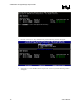
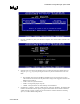
1. Enter the BIOS Setup program by pressing the <F2> key after the Power-On-Self-Test
(POST) memory test begins.
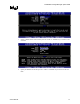
2. Select the Advanced menu, then the Drive Configuration menu.
3. Switch the Drive Mode option from Legacy to Enhanced.
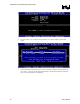
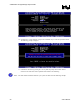
4. Enable Intel(R) RAID Technology.
5. Press <F10> to save the BIOS settings and exit the BIOS Setup program.
User's Manual 13