
ProLiant ML110 Generation 2 Server Maintenance and Service Guide


Connectors, Switches, and LEDs
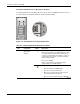
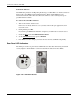
I/O Device Connection
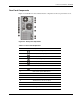
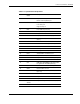
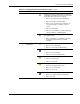
The color-coded I/O ports on the rear panel are each marked with icons that indicate the kind
of devices that can be connected to them.
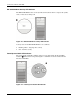
Figure 4-3: Connecting I/O devices
System Board Components
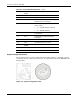
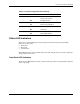
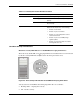
Figure 4-4 and Table 4-3 show and describe the components on the system board.
Figure 4-4: System board components
4-4 HP ProLiant ML110 Generation 2 Server Maintenance and Service Guide