
ProLiant ML110 Generation 2 Server Maintenance and Service Guide

Diagnostic Tools
Setting Hardware Protection
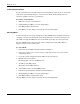
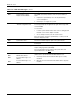
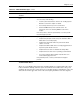
You have the option to lock and unlock some of the I/O ports available on the server.
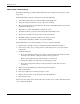
1. In the
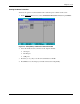
Advanced menu screen, select the Hardware Protection field, then press Enter.
Figure 3-5: Setup Utility’s Hardware Protection window
2. Select the hardware item you want to lock. Options include:
• Serial port
• Parallel port
• USB ports
3. Press the (+) or (-) key to set the selected hardware to Lock.
4. Press F10 to save the changes you made and close the Setup Utility.
HP ProLiant ML110 Generation 2 Server Maintenance and Service Guide 3-13