
ProLiant ML110 Generation 2 Server Maintenance and Service Guide

Removal and Replacement Procedures
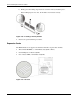
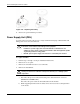
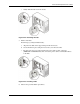
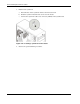
c. Gently slide the PSU out of the chassis.
Figure 2-42: Removing the PSU
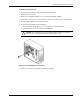
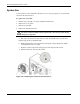
5. Install a new PSU:
Perform step (a) and (b) simultaneously.
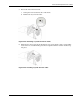
a. Align the new PSU to the support ledges inside the chassis.
b. Secure the PSU in place using the four screws you removed earlier.
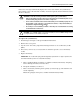
c. Reconnect the processor and system board power cables to their connectors
(PWRCON1 and PWRCON2), then connect the power cables of all installed drives
to the PSU.
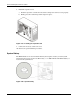
Figure 2-43: Installing a PSU
6. Observe the post-installation procedures.
HP ProLiant ML110 Generation 2 Server Maintenance and Service Guide 2-37