
ProLiant ML110 Generation 2 Server Maintenance and Service Guide


Removal and Replacement Procedures
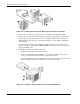
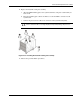
4. Pull out the air baffle for better access to the processor socket (U10).
5. If necessary, remove any accessory boards or cables that prevent access to the processor
socket.
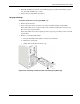
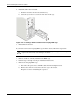
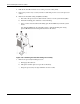
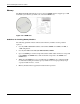
6. Remove the heatsink-cooling fan (HSF) assembly:
a. Disconnect the processor fan cable from the connector on the system board (CN7).
b. Twist the mounting pins clockwise to loosen them up.
c. Once you have loosened all four mounting pins, lift the HSF away from the system
board.
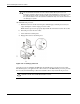
Lay down the HSF down in an upright position—with the thermal patch facing
upward. Do not let the thermal patch touch the work surface.
Figure 2-30: Removing the heatsink-cooling fan assembly
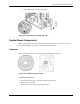
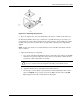
7. Remove the previously installed processor:
a. Disengage the load lever.
b. Lift up the retention plate to expose the socket body.
c. Grasp the processor by its edges and lift it out of its socket.
2-26 HP ProLiant ML110 Generation 2 Server Maintenance and Service Guide