
Microsoft Exchange 2000 Consolidation Using ProLiant Essentials Workload Management Pack

Microsoft Exchange 2000 Consolidation Using
T
ECHNOLOGY BRIEF (cont.) ProLiant Essentials Workload Management Pack
.
.
.
.
.
.
.
.
.
.
.
.
.
.
.
.
.
.
.
.
.
.
.
.
.
.
.
.
.
.
.
.
.
.
.
.
.
.
.
.
.
.
.
.
.
.
.
.
.
.
.
.
.
.
.
.
.
.
.
.
.
.
.
.
.
.
.
.
.
.
.
.
.
.
.
.
.
.
.
.
.
.
.
.
.
.
.
.
.
.
.
.
.
.
.
.
.
.
.
.
.
.
.
.
.
.
.
.
.
.
.
.
.
.
.
.
.
.
.
.
.
.
.
.
.
.
.
.
.
.
.
.
.
.
.
.
.
.
.
.
.
.
.
.
.
.
.
.
.
.
.
.
.
.
.
.
.
.
.
.
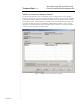
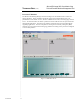
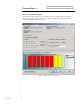
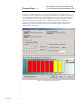
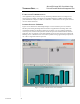
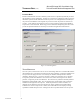
The Resource Partition Properties screen in Figure 6 shows that the manageapp partition is
assigned to processors 7 and 8 for use by the supporting applications. The manageapp partition is
also configured to start automatically when the RPM service is launched. Since the manageapp
partition is limited to two CPUs, any supporting applications assigned to this partition will be
limited to sharing the two assigned processors. With this configuration, the supporting
applications cannot run on any of the six processors assigned to the EXStore partition. The
applications are isolated on the assigned processors unless additional rules are written (as
explained in the next section).
Figure 6. manageapp Partition Properties
11
TC020602TB