
ProLiant DL760 Generation 2 Server Maintenance and Service Guide

I/O Module Removal and Replacement Procedures
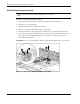
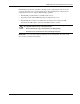
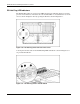
IMPORTANT: If any of the I/O expansion slots require inspection, remove the 11-slot hot-plug basket.
Refer to “11-slot Hot-Plug Basket” in this chapter for removal instructions.
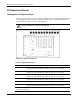
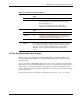
The I/O expansion slots are distributed among one primary PCI bus and five separate PCI-X
peer buses.
NOTE: Each PCI-X bus will automatically configure to run in the most advanced mode (PCI-X or PCI)
and the highest frequency supported by all expansion boards installed in the slots on the bus.
NOTE: The ProLiant DL760 G2 server ships with a Network Interface Controller (NIC) preinstalled
in slot 11.
I/O Expansion Slot Cover
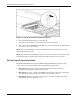
To remove the I/O expansion slot cover:
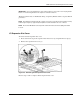
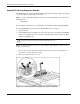
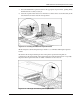
1. Press down on the top of the expansion slot release lever (1) and push the lever up (2).
2. Remove the expansion slot cover (3).
Figure 6-6: Removing the I/O expansion slot cover
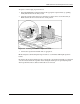
Reverse steps 1 and 2 to replace the I/O expansion slot cover.
HP ProLiant DL760 Generation 2 Server Maintenance and Service Guide 6-7