
ProLiant DL760 Generation 2 Server Maintenance and Service Guide
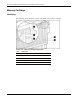

Processor and Memory Module Removal and Replacement Procedures
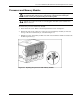
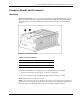
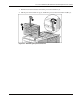
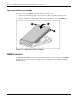
5. Push in the four tabs on the sides of the processor board cover (1) and then lift the cover
off the processor board (2).
Figure 5-8: Removing the processor board cover
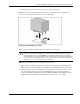
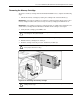
6. Turn over the processor board to access the processor clips.
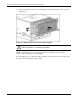
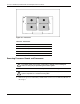
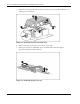
7. Lift the processor clip to unlock the clip (1) and then slide it forward and up to
remove it from the processor board (2).
Figure 5-9: Removing the processor clip
5-8 HP ProLiant DL760 Generation 2 Server Maintenance and Service Guide