
ProLiant DL760 Generation 2 Server Maintenance and Service Guide

Processor and Memory Module Removal and Replacement Procedures
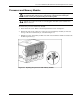
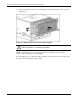
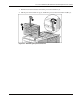
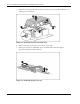
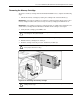
4. Press the module stop latches in (4) and pull the module out of the chassis (5), as shown
in Figure 5-4.
Figure 5-4: Removing the processor and memory module
WARNING: To reduce the risk of personal injury from hot surfaces, allow the internal
syst
em components to cool before touching them.
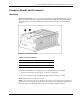
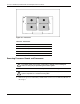
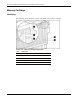
NOTE: The I/O lid labels, processor board cover, and memory cartridge covers also provide
instructions about installing processors and DIMMs.
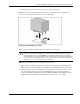
To reassemble the server, slide the module in until the cam levers begin to rotate. Then push
the cam levers shut until they snap into place.
5-4 HP ProLiant DL760 Generation 2 Server Maintenance and Service Guide