
ProLiant DL760 Generation 2 Server Maintenance and Service Guide

Media Module Removal and Replacement Procedures
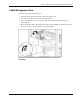
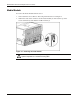
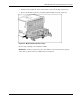
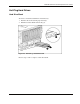
3. Pull the media module out of the chassis until it contacts the module stop latch (1).
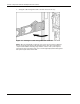
4. Press in the module stop latches, and then pull the module out of the chassis (2).
Figure 4-2: Media module opened to stops
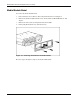
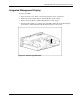
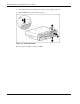
Reverse steps 2 through 4 to reinstall the module.
IMPORTANT: Check the System Interconnect status LEDs to ensure that the module is properly
seated. Refer to “System Interconnect LED Indicators” in Chapter 8.
HP ProLiant DL760 Generation 2 Server Maintenance and Service Guide 4-3