
ProLiant DL760 Generation 2 Server Maintenance and Service Guide

Media Module Removal and Replacement Procedures
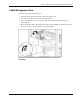
Media Module
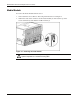
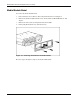
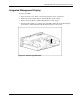
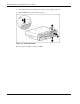
To remove the media module from the server:
1. Power down the server. Refer to “Pow ering Down the Server” in Chapter 2.
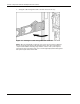
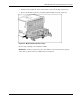
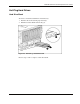
2. Push in the sides of the cam levers on the media module (1) and rotate the top of the
levers downward (2) and slide the module forward (3).
Figure 4-1: Removing the media module
WARNING: To reduce the risk of personal injury from hot surfaces, allow the internal
syst
em components to cool before touching them.
4-2 HP ProLiant DL760 Generation 2 Server Maintenance and Service Guide