
ProLiant DL760 Generation 2 Server Maintenance and Service Guide

Chassis Components Removal and Replacement Procedures
3-8 HP ProLiant DL760 Generation 2 Server Maintenance and Service Guide
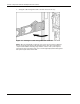
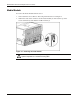
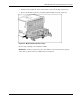
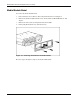
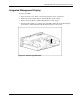
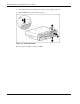
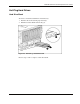
5. Swing the cable management arm to the left and out of the way.
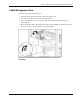
Figure 3-8: Rotating the cable management arm to the left
NOTE: When the cable bundle on the back of the server exceeds 2 inches in diameter,
HP has designed a high-capacity cable management arm. This option is designed for
complex rack installations including a large number of cables. If the system requires a
high-capacity cable management arm, refer to the HP High-Capacity Cable Management
Arm option kit, part number 124711-B21.