
ProLiant DL760 Generation 2 Server Maintenance and Service Guide

Service Preparation
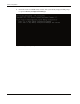
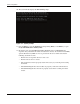
10. The system briefly displays the F9 and F10 prompts.
Figure 2-7: System prompts
11. Press the F9 key to start the ROM-Based Setup Utility (RBSU) or the F10 key to open
the System Maintenance Menu (SMM).
12. Be sure that each green PCI Hot Plug LED is illuminated for each PCI/PCI-X I/O
expansion slot (viewable from inside and outside the chassis). To check the inside LEDs,
open the I/O lid. If any LEDs are not on, power down the server and be sure that the
following statements are true:
— Each slot has an expansion board or a slot cover.
— Each slot release lever is closed.
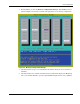
— The expansion boards are properly seated. If necessary, try removing and reseating
the boards.
— The PCI Hot Plug interface board cables are properly connected to the I/O board.
— The PCI Hot Plug interface boards are properly seated on the rear I/O panel of the
chassis.
2-14 HP ProLiant DL760 Generation 2 Server Maintenance and Service Guide