
ProLiant DL740 Server Maintenance and Service Guide


Table Of Contents
- HP ProLiant DL740 Server Maintenance and Service Guide
- Notice
- Contents
- About This Guide
- Chapter 1: Illustrated Parts Catalog
- Chapter 2: Service Preparation
- Chapter 3: Chassis Components Removal and Replacement Procedures
- Chapter 4: Host Module Removal and Replacement Procedures
- Chapter 5: Power and Media Module Removal and Replacement Procedures
- Chapter 6: Diagnostic Tools
- Chapter 7: Connectors, Switches, and LED Indicators
- Connectors
- System Board
- Switches
- LED Indicators
- System Power LED Switch
- Unit Identification LED Switches (Front and Rear)
- System Interconnect LED Indicators
- System Attention LED Indicators
- System Activity LED Indicators
- Hot-Plug SCSI Hard Drive LED Indicators
- Power Supply LED Indicators
- Hot-Plug Fan LED Indicators
- PCI Hot Plug LED Indicators
- Memory Cartridge LED Indicators
- DIMM Status LED Indicators
- Chapter 8: Physical, Operating, and Performance Specifications
- Index
Connectors, Switches, and LED Indicators
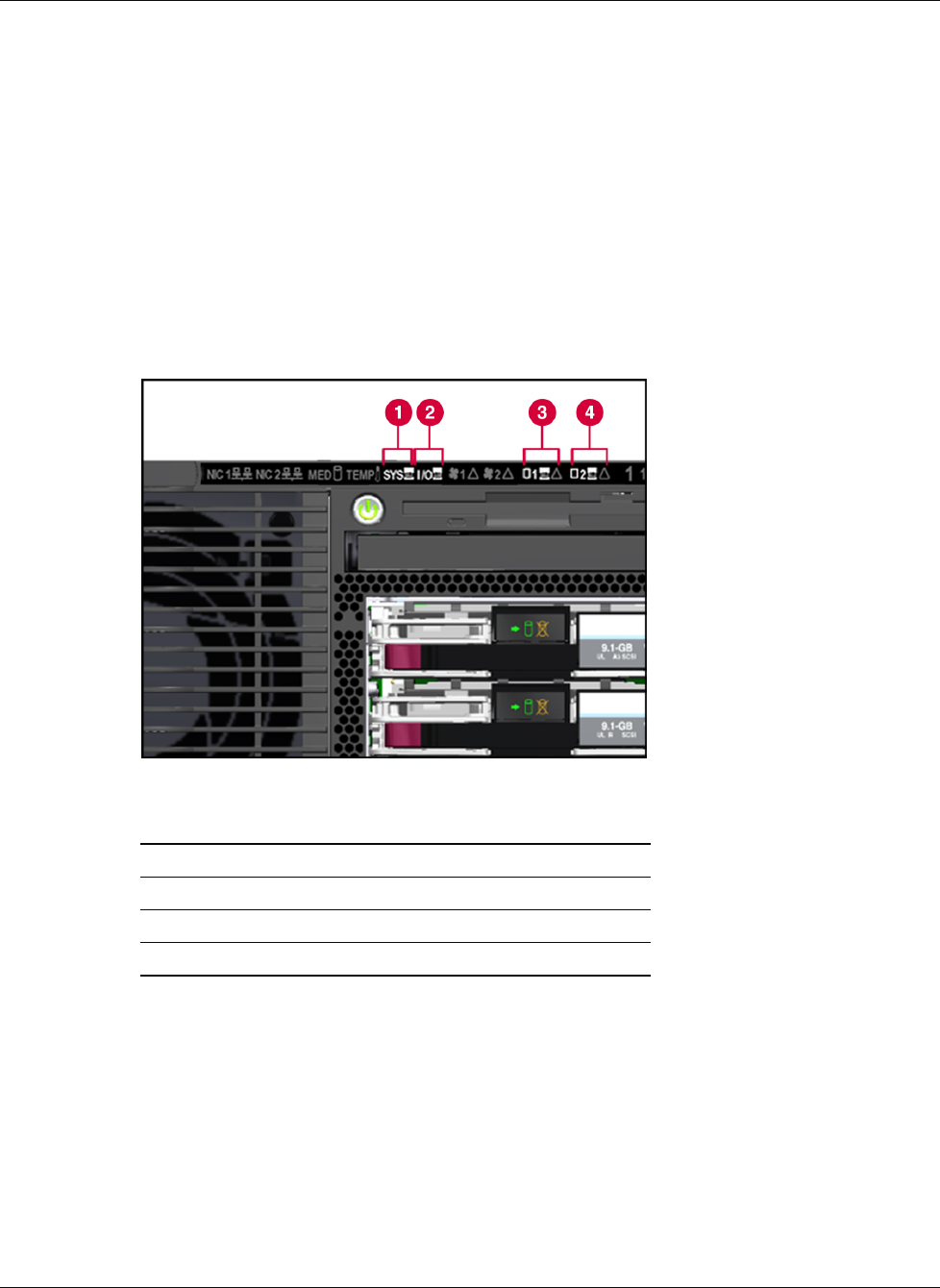
System Interconnect LED Indicators
To prevent damage to critical system components, the ProLiant DL740 server will not power
up if it detects that certain components are not installed or are installed incorrectly. The
system interconnect LEDs provided with ProLiant DL740 servers provide a closed-loop
checking mechanism for verifying proper component mating and interconnections between
critical server components. LEDs provide visual assistance in isolating components to check
if the server will not power up due to a component or module that is not fully installed. If a
status indicator light is on, reseat the component represented by the indicator. Refer to the
hood labels for component location.
IMPORTANT: To check system interconnect status LEDs, place the server in Standby with the power
supplies plugged in.
Figure 7-7: System interconnect LEDs
Item Description
1 System interconnect
2 I/O board interconnect
3 Processor board 1 interconnect
4 Processor board 2 interconnect
HP ProLiant DL740 Server Maintenance and Service Guide 7-9
HP CONFIDENTIAL Codename: Jethro Part Number: 270853-004 Last Saved On: 2/10/04 3:53 PM