
ProLiant DL740 Server Maintenance and Service Guide


Table Of Contents
- HP ProLiant DL740 Server Maintenance and Service Guide
- Notice
- Contents
- About This Guide
- Chapter 1: Illustrated Parts Catalog
- Chapter 2: Service Preparation
- Chapter 3: Chassis Components Removal and Replacement Procedures
- Chapter 4: Host Module Removal and Replacement Procedures
- Chapter 5: Power and Media Module Removal and Replacement Procedures
- Chapter 6: Diagnostic Tools
- Chapter 7: Connectors, Switches, and LED Indicators
- Connectors
- System Board
- Switches
- LED Indicators
- System Power LED Switch
- Unit Identification LED Switches (Front and Rear)
- System Interconnect LED Indicators
- System Attention LED Indicators
- System Activity LED Indicators
- Hot-Plug SCSI Hard Drive LED Indicators
- Power Supply LED Indicators
- Hot-Plug Fan LED Indicators
- PCI Hot Plug LED Indicators
- Memory Cartridge LED Indicators
- DIMM Status LED Indicators
- Chapter 8: Physical, Operating, and Performance Specifications
- Index
Connectors, Switches, and LED Indicators
Switches
This section contains graphics and tables showing switch location and settings for the host
board.
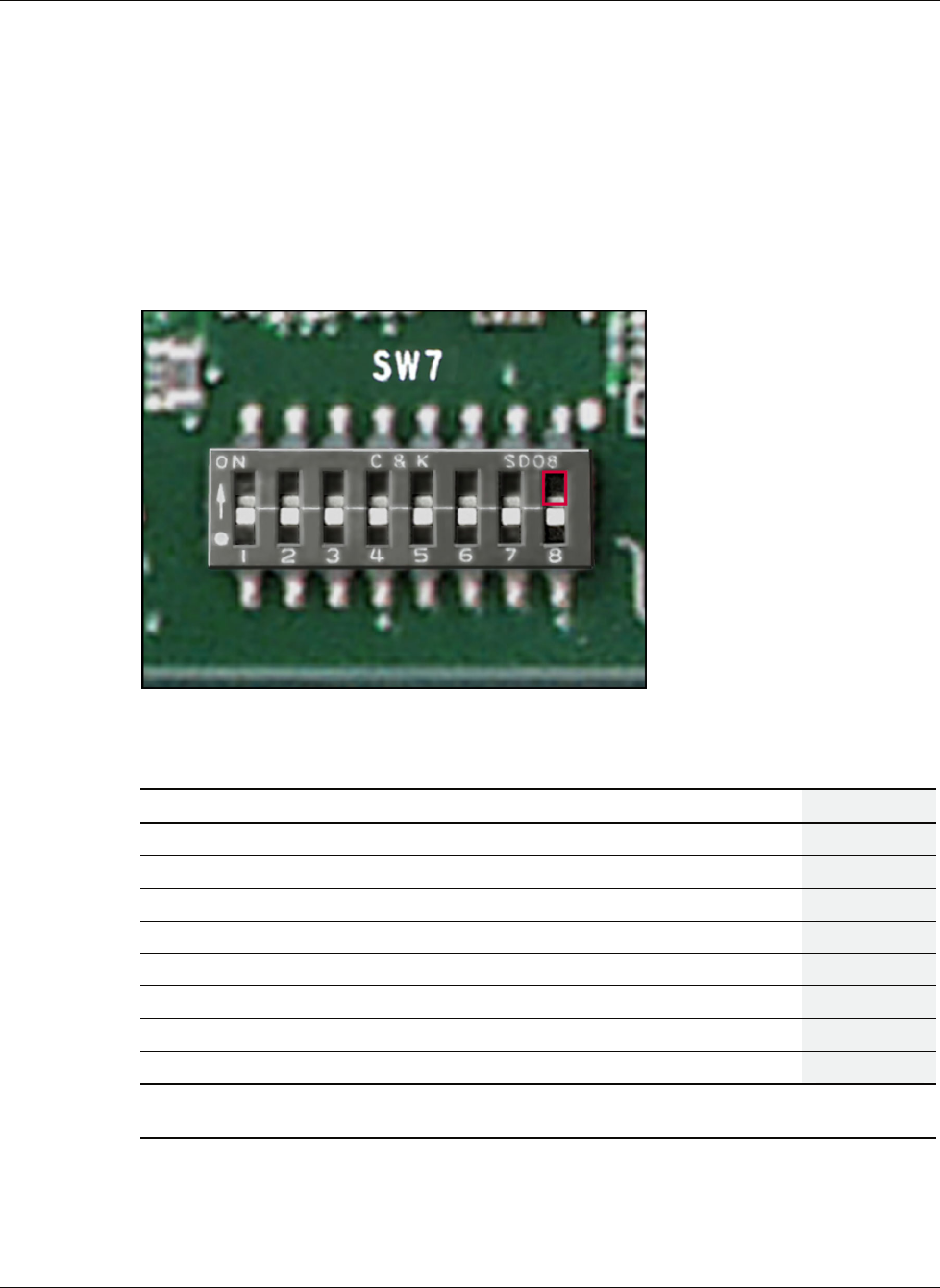
I/O Board Configuration Switches
The I/O board switch bank is located on the inside edge of the I/O board near the Array
Enabler board and I/O expansion slots 1 and 2.
Figure 7-4: I/O board switch bank
Table 7-2: I/O Board Configuration Switch Settings (SW7)
Switch Function Enable Disable Default
S1 On-board video Off On Off
S2 Configuration lock On Off Off
S3 Rack-mount Reserved Reserved Off
S4 Diskette boot override On Off Off
S5 Boot password Off On Off
S6 Clear NVRAM On Off Off
S7 Select Redundant BootBlock ROM On Off Off
S8 iLO security jumper On Off Off
* The server serial number must be re-entered through RBSU after you clear the NVRAM. Refer to
the “Re-entering the Server Serial Number” section in Chapter 2.
HP ProLiant DL740 Server Maintenance and Service Guide 7-5
HP CONFIDENTIAL Codename: Jethro Part Number: 270853-004 Last Saved On: 2/10/04 3:53 PM