
ProLiant DL740 Server Maintenance and Service Guide


Table Of Contents
- HP ProLiant DL740 Server Maintenance and Service Guide
- Notice
- Contents
- About This Guide
- Chapter 1: Illustrated Parts Catalog
- Chapter 2: Service Preparation
- Chapter 3: Chassis Components Removal and Replacement Procedures
- Chapter 4: Host Module Removal and Replacement Procedures
- Chapter 5: Power and Media Module Removal and Replacement Procedures
- Chapter 6: Diagnostic Tools
- Chapter 7: Connectors, Switches, and LED Indicators
- Connectors
- System Board
- Switches
- LED Indicators
- System Power LED Switch
- Unit Identification LED Switches (Front and Rear)
- System Interconnect LED Indicators
- System Attention LED Indicators
- System Activity LED Indicators
- Hot-Plug SCSI Hard Drive LED Indicators
- Power Supply LED Indicators
- Hot-Plug Fan LED Indicators
- PCI Hot Plug LED Indicators
- Memory Cartridge LED Indicators
- DIMM Status LED Indicators
- Chapter 8: Physical, Operating, and Performance Specifications
- Index
Power and Media Module Removal and Replacement Procedures
Removable Media Assembly
The half-height universal media bay supports hot-pluggable IDE devices and ships standard
with a DVD-ROM drive. The bay also supports other removable media devices, such as a
CD-ROM drive.
NOTE: To replace the 1.44-MB diskette drive, the removable media assembly must be removed.
To remove the removable media assembly:
1. Remove the power and media module. Refer to “Removing the Power and Media
Module” in this chapter.
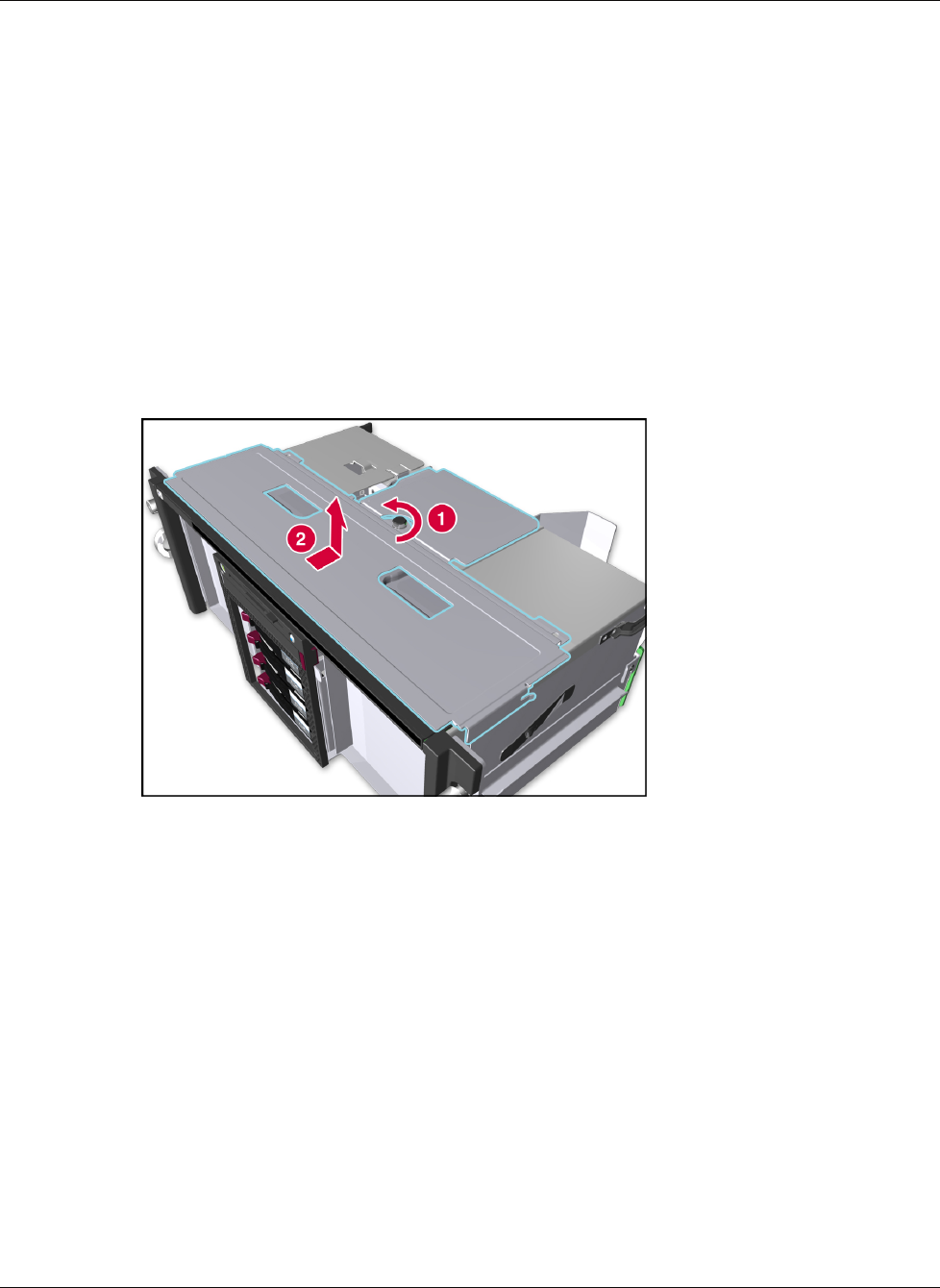
2. Remove the power and media module cover by loosening the thumbscrew (1), sliding the
cover back, and then lifting the cover off of the module chassis (2).
Figure 5-11: Removing the power and media module cover
5-14 HP ProLiant DL740 Server Maintenance and Service Guide
HP CONFIDENTIAL Codename: Jethro Part Number: 270853-004 Last Saved On: 2/10/04 3:51 PM