
ProLiant DL740 Server Maintenance and Service Guide


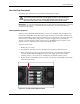


Table Of Contents
- HP ProLiant DL740 Server Maintenance and Service Guide
- Notice
- Contents
- About This Guide
- Chapter 1: Illustrated Parts Catalog
- Chapter 2: Service Preparation
- Chapter 3: Chassis Components Removal and Replacement Procedures
- Chapter 4: Host Module Removal and Replacement Procedures
- Chapter 5: Power and Media Module Removal and Replacement Procedures
- Chapter 6: Diagnostic Tools
- Chapter 7: Connectors, Switches, and LED Indicators
- Connectors
- System Board
- Switches
- LED Indicators
- System Power LED Switch
- Unit Identification LED Switches (Front and Rear)
- System Interconnect LED Indicators
- System Attention LED Indicators
- System Activity LED Indicators
- Hot-Plug SCSI Hard Drive LED Indicators
- Power Supply LED Indicators
- Hot-Plug Fan LED Indicators
- PCI Hot Plug LED Indicators
- Memory Cartridge LED Indicators
- DIMM Status LED Indicators
- Chapter 8: Physical, Operating, and Performance Specifications
- Index

Service Preparation
Non-Hot-Plug Procedures
You must power down the server to perform non-hot-plug procedures.
WARNING: To reduce the risk of electric shock or damage to the equipment,
disconnect power from the server by unplugging all power cords from either the
electrical outlet or the server. In systems with multiple power supplies, you must
disconnect all the power cords to completely remove power from the system.
IMPORTANT: You must be knowledgeable about electrostatic discharge information before conducting
the preparation procedures. For electrostatic discharge information, see “Electrostatic Discharge
Information” in this chapter.
Powering Down the Server
System power in the HP ProLiant DL740 server does not completely shut off with the front
panel Power On/Standby switch. The switch toggles between on and standby, rather than on
and off. The Standby position provides auxiliary power (+5V) and removes main power from
most electronics and the drives, but portions of the power supply, the system interlock
circuitry, and some internal circuitry remain active. You must disconnect all power cords
from the server to completely remove all power from the system.
To power off the server:
1. Back up the server data.
2. Shut down the operating system as directed by the operating system instructions.
3. If the operating system does not power the system down, press the Power On/Standby
switch to Standby, thereby disabling the main power supply output and providing
auxiliary power (+ 5 V) to the server. Standby does not disable auxiliary power.
4. Be sure that the system LED on the front panel, near the Power On/Standby switch, turns
off and fan noise abates.
Figure 2-4: System power LED and switch
HP ProLiant DL740 Server Maintenance and Service Guide 2-9
HP CONFIDENTIAL Codename: Jethro Part Number: 270853-004 Last Saved On: 2/10/04 3:46 PM