
ProLiant DL740 Server Maintenance and Service Guide




Table Of Contents
- HP ProLiant DL740 Server Maintenance and Service Guide
- Notice
- Contents
- About This Guide
- Chapter 1: Illustrated Parts Catalog
- Chapter 2: Service Preparation
- Chapter 3: Chassis Components Removal and Replacement Procedures
- Chapter 4: Host Module Removal and Replacement Procedures
- Chapter 5: Power and Media Module Removal and Replacement Procedures
- Chapter 6: Diagnostic Tools
- Chapter 7: Connectors, Switches, and LED Indicators
- Connectors
- System Board
- Switches
- LED Indicators
- System Power LED Switch
- Unit Identification LED Switches (Front and Rear)
- System Interconnect LED Indicators
- System Attention LED Indicators
- System Activity LED Indicators
- Hot-Plug SCSI Hard Drive LED Indicators
- Power Supply LED Indicators
- Hot-Plug Fan LED Indicators
- PCI Hot Plug LED Indicators
- Memory Cartridge LED Indicators
- DIMM Status LED Indicators
- Chapter 8: Physical, Operating, and Performance Specifications
- Index
Connectors, Switches, and LED Indicators
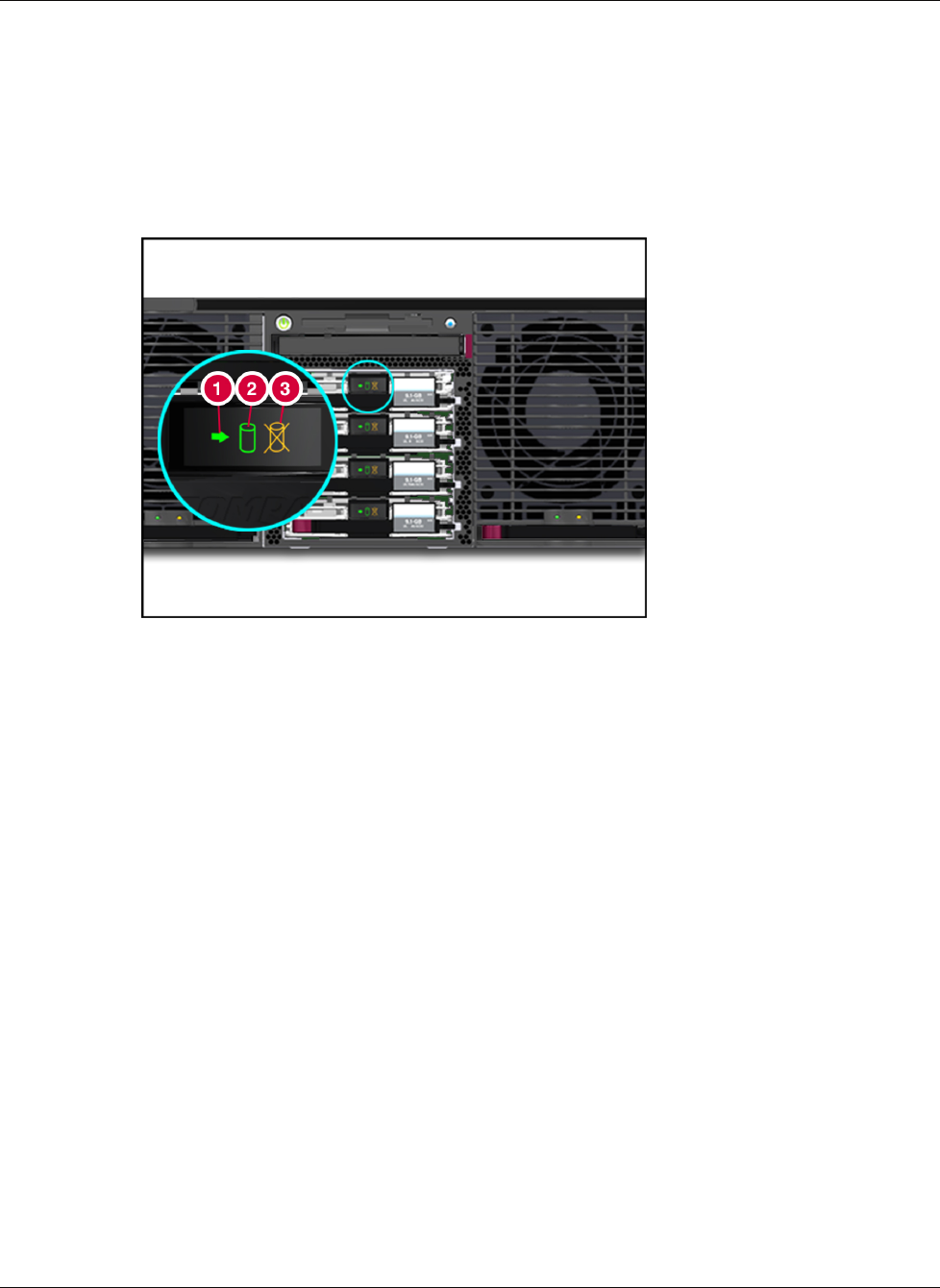
Hot-Plug SCSI Hard Drive LED Indicators
The hot-plug SCSI hard drive LEDs, located on each physical drive, are visible on the front
of the server or external storage unit. They provide: (1) Activity, (2) Power/Online, and (3)
Fault status for each corresponding drive when configured as a part of an array and attached
to a powered-on controller. Their behavior might vary, depending on the status of other
drives in the array.
Figure 7-10: Hot-plug SCSI hard drive LEDs
7-12 HP ProLiant DL740 Server Maintenance and Service Guide
HP CONFIDENTIAL Codename: Jethro Part Number: 270853-004 Last Saved On: 2/10/04 3:53 PM