
HP ProLiant DL585 Generation 6 Server Maintenance and Service Guide


Removal and replacement procedures 56
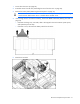
11.
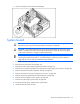
Loosen the thumbscrew and remove the backplane.
System board
CAUTION: Before starting this procedure, read the information about protecting against
electrostatic discharge ("Preventing electrostatic discharge" on page 24).
CAUTION: Only authorized technicians trained by HP should attempt to remove the system
board. If you believe the system board requires replacement, contact HP Technical Support
("HP contact information" on page 87) before proceeding.
IMPORTANT: HP recommends troubleshooting the system using port 85 codes before
replacing the system board. Refer to "Troubleshooting the system using port 85 codes (on
page 63)" for a list of codes and troubleshooting procedures.
1. Power down the server (on page 25).
2. Remove the server from the rack (on page 27).
3. Remove the access panel ("Removing the access panel" on page 27).
4. Remove fans 3 through 6 installed in front of the power supply cages ("Fan locations" on page 80).
5. Remove all expansion boards ("Expansion boards" on page 47).
6. Remove all expansion slot covers ("Expansion slot covers" on page 46).
7. Remove the pass-through board ("Pass-through board" on page 49).
8. Remove all power supplies ("Power supply" on page 44).
9. Remove the system cage ("System cage" on page 54).
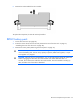
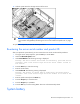
10. Disconnect the SAS power cable from the system board.
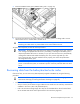
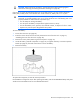
11. Unlock the latch and open the lever.