
HP ProLiant DL585 Generation 6 Server Maintenance and Service Guide



Removal and replacement procedures 48
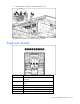
Slot Description
7 PCI Express x8 non-hot-plug expansion slot (full-length)
8 PCI Express x8 non-hot-plug expansion slot (full-length)
9 PCI Express x4 non-hot-plug expansion slot (half-length)
To remove a non-hot-plug expansion board:
1. Power down the server (on page 25).
2. Extend or remove the server from the rack ("Remove the server from the rack" on page 27,
"Extending the server from the rack" on page 26).
3. Remove the access panel ("Removing the access panel" on page 27).
4. Disconnect any internal or external cables attached to the expansion board.
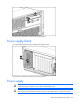
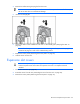
5. Open the latch.
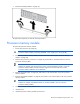
6. Unlock the retaining clip (for full-length expansion boards).
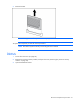
7. Remove the board from the server.
To replace the component, reverse the removal procedure.
SAS backplane
1. Power down the server (on page 25).
2. Remove all hard drives ("SAS or SATA hard drives" on page 43).
3. Extend or remove the server from the rack ("Remove the server from the rack" on page 27,
"Extending the server from the rack" on page 26).
4. Remove the access panel ("Removing the access panel" on page 27).
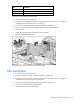
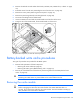
5. Disconnect all cables from the SAS backplane.
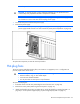
6. Slide the bracket to the front of the server.