
HP ProLiant DL585 Generation 6 Server Maintenance and Service Guide







Removal and replacement procedures 32
7.
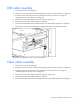
Remove the screws securing the cable bracket to the server and remove the bracket.
8. Remove the screws securing the video cable to the bracket and remove the cable.
To replace the component, reverse the removal procedure.
Power button cable assembly
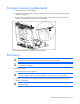
1. Power down the server (on page 25).
2. Remove the processor memory module ("Removing the processor memory module" on page 28).
3. Extend or remove the server from the rack ("Remove the server from the rack" on page 27,
"Extending the server from the rack" on page 26).
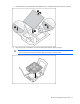
4. Remove the access panel ("Removing the access panel" on page 27).
5. Remove the power button assembly bezel (on page 30).
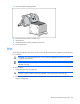
6. Disconnect the power button cable from the media board ("Front panel cable components" on page
82).