
HP ProLiant DL585 Generation 5 Server User Guide

Hardware options installation 44
NOTE: The T-15 Torx screwdriver is shipped with the server and can be located on the rear
panel ("Rear panel components" on page 11).
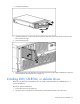
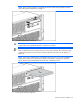
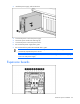
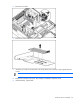
3. Install the media drive into the server.
CAUTION: To prevent improper cooling and thermal damage, do not operate the server
unless all bays are populated with either a component or a blank.
IMPORTANT: By default, the DVD drive is installed in the lower drive bay. To boot from a
DVD or CD-RW drive in the upper drive bay or to boot from a diskette drive in the lower bay,
change the boot device selector switch to FLP BOT ("Boot device selector switch (SW1)" on
page 16).
NOTE: If two DVD or CD-RW drives are installed in the server, the server will first attempt to
boot from the primary drive ("Boot device selector switch (SW1)" on page 16). The boot
device selector switch setting determines which drive is the primary drive.
4. Power up the server (on page 27).