
HP ProLiant DL585 Generation 5 Server User Guide

Hardware options installation 43
1.
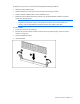
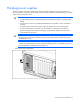
Prepare the hard drive.
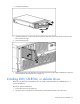
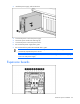
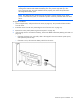
2. Install the hard drive into the server. Be sure that the hard drive seats firmly into the connector in the
back of the drive cage.
3. Close the ejector lever.
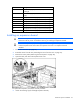
4. Determine the status of the hard drive from the hot-plug SAS hard drive LED combinations ("SAS and
SATA hard drive LED combinations" on page 10).
Installing DVD, CD-ROM, or diskette drives
The server is shipped with one DVD drive. You can install an optional DVD drive, CD-ROM drive, or a
3.5-inch diskette drive.
To install an optional media drive:
1. Power down the server (on page 27).
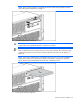
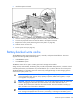
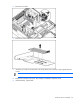
2. Use the T-15 Torx screwdriver to eject the drive or drive blank, and pull it out of the server.