
HP ProLiant DL585 Generation 5 Server User Guide

Hardware options installation 42
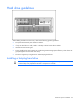
Hard drive guidelines
When adding hard drives to the server, observe the following general guidelines:
• The system automatically sets all device numbers.
• If only one hard drive is used, install it in the bay with the lowest device number.
• Hard drives must be SFF types.
• Drives should be the same capacity to provide the greatest storage space efficiency when drives are
grouped together into the same drive array.
• The server supports up to eight SAS or SATA hot-plug hard drives.
Installing a hot-plug hard drive
CAUTION: To prevent improper cooling and thermal damage, do not operate the server
unless all bays are populated with either a component or a blank.