
HP ProLiant DL585 Generation 5 Server Maintenance and Service Guide

Removal and replacement procedures 47
4.
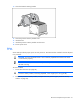
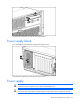
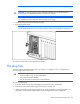
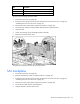
Remove the malfunctioning hot-plug fan from the server.
IMPORTANT: Remove and replace one fan at a time. If the system detects two fan failures,
the server shuts down to avoid thermal damage.
5. Install a new hot-plug fan.
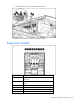
6. Observe the LED on each installed fan to be sure it is illuminated green ("Hot-plug fan LEDs" on
page 82).
NOTE: If the front panel internal system health LED is not green after you install hot-plug fans,
reseat the hot-plug fan or refer to the troubleshooting section.
7. Replace the access panel ("Removing the access panel" on page 28).
8. Slide the server into the rack.
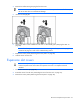
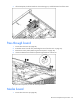
Expansion slot covers
CAUTION: To prevent improper cooling and thermal damage, do not operate the server
unless all expansion slots have either an expansion slot cover or an expansion board
installed.
1. Power down the server (on page 26).
2. Extend the server from the rack ("Extending the server from the rack" on page 27).
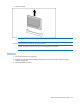
3. Remove the access panel ("Removing the access panel" on page 28).