
HP ProLiant DL585 Generation 5 Server Maintenance and Service Guide

Removal and replacement procedures 41
14.
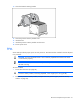
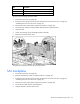
Close the heatsink retaining bracket.
15. Close the processor memory module cover.
16. Install the fans.
17. Install the processor memory module into the server.
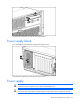
18. Power up the server.
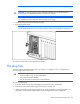
PPM
Server PPMs provide the proper power to each processor. Each PPM must be installed in the slot adjacent
to its processor.
CAUTION: Processor and PPM sockets 1 and 2 must be populated at all times or the server
will not function properly.
IMPORTANT: Always install a PPM when you install a processor. The system fails to boot if
the PPM is missing.
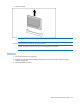
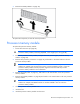
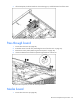
To remove a PPM:
1. Power down the server (on page 26).
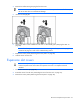
WARNING: Use caution when installing the processor memory module or removing the
processor memory module; when fully populated, it can weigh up to 13.6 kg (30 lb).
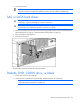
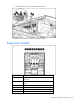
2. Remove the processor memory module, and open the cover ("Removing the processor memory
module" on page 29).