
HP ProLiant DL585 Generation 5 Server Maintenance and Service Guide

Removal and replacement procedures 34
7.
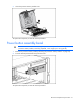
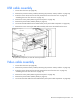
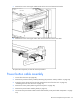
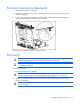
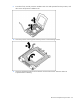
Push up on the power button cable assembly to disconnect it from the server.
8. Pull the power button cable assembly away from the server.
To replace the component, reverse the removal procedure.
Fan cage bezel
1. Power down the server (on page 26).
WARNING: Use caution when installing the processor memory module or removing the
processor memory module; when fully populated, it can weigh up to 13.6 kg (30 lb).
2. Remove the processor memory module ("Removing the processor memory module" on page 29).
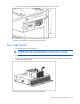
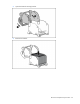
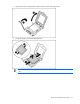
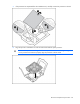
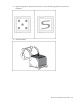
3. Press the tabs behind the bezel and pull the bezel away from the server. If necessary, use a flathead
screwdriver to press the tabs.
To replace the component, reverse the removal procedure.