
HP ProLiant DL585 Generation 5 Server Maintenance and Service Guide

Removal and replacement procedures 28
3.
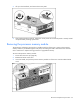
After performing the installation or maintenance procedure, slide the server into the rack by pressing
the server rail-release latches.
Remove the server from the rack
To remove the server from an HP, Compaq branded, telco, or third-party rack:
1. Power down the server (on page 26).
2. Extend the server from the rack ("Extending the server from the rack" on page 27).
3. Disconnect the cabling and remove the server from the rack. For more information, refer to the
documentation that ships with the rack mounting option.
4. Place the server on a sturdy, level surface.
Removing the access panel
WARNING: To reduce the risk of personal injury from hot surfaces, allow the drives and the
internal system components to cool before touching them.
CAUTION: Do not operate the server for long periods with the access panel open or
removed. Operating the server in this manner results in improper airflow and improper
cooling that can lead to thermal damage.
IMPORTANT: When removing the access panel to view the Systems Insight Display LEDs (on
page 78), leave the server powered on. The Systems Insight Display LEDs are cleared when
the server is powered off.
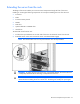
1. Extend the server from the rack ("Extending the server from the rack" on page 27).
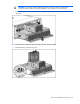
2. If the locking latch is locked, use a T-15 Torx screwdriver to unlock the latch.
NOTE: The T-15 Torx screwdriver is shipped with the server and can be located on the rear
panel ("Rear panel components" on page 73).