
ProLiant DL580 Generation 5 Maintenance and Service Guide
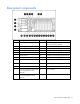
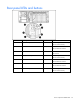
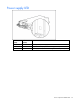
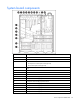

Server component identification 75
Item Description
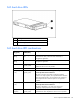
16 System maintenance switch (SW1)
17 Port 84/85 code display
18 SPI board
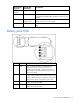
System maintenance switch
The system maintenance switch (SW1) is an eight-position switch that is used for system configuration. The
switch 7 and switch 8 settings determine which codes display on the system board ("System board
components" on page 74). The default position for all eight positions is Off.
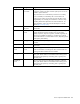
Position Description Function
S1 iLO 2 Security Off = iLO 2 security is enabled
On = iLO 2 security is disabled
S2 Configuration
lock
Off = System configuration can
be changed
On = System configuration is
locked
S3 Reserved Reserved
S4 Reserved Reserved
S5 Password
protection
override
Off = No function
On = Clears power-on
password and administrator
password
S6 Invalidate
configuration
Off = Normal
On = Clears NVRAM
Switch 7 Switch 8 Function
Off Off Displays port 85 codes (default)
Off On Displays port 84 codes
On Off Displays iLO codes
On On Displays Noboot codes
Setting the switch to view port 85 codes
To view port 84 and 85 codes ("Troubleshooting the system using port 85 codes" on page 64):
1. Extend the server from the rack ("Extending the server from the rack" on page 27).
2. Remove the access panel ("Removing the access panel" on page 28).
3. Locate the switch on the system board ("System board components" on page 74).
4. Set the system maintenance switch (on page 75) to view port 85 codes.