
ProLiant DL580 Generation 5 Maintenance and Service Guide

Removal and replacement procedures 48
4.
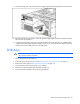
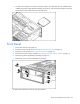
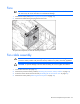
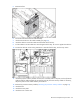
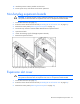
Open the latch, and remove the expansion slot cover.
To replace the component, reverse the removal procedure.
PCI-X or PCI Express x8 3 Slot Option Card
1. Power down the server (on page 26).
2. Extend or remove the server from the rack ("Extending the server from the rack" on page 27).
3. Remove the processor memory module ("Removing the processor memory module" on page 29).
4. Remove the access panel ("Removing the access panel" on page 28).
5. Remove the expansion boards from slots 1 through 3 ("Non-hot-plug expansion boards" on page
47).
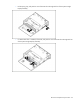
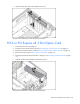
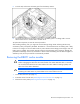
6. Slide the card forward, and lift the card from the server.
To replace the component, reverse the removal procedure.