
ProLiant DL580 Generation 5 Maintenance and Service Guide

Removal and replacement procedures 34
Processor assembly
WARNING: To reduce the risk of personal injury from hot surfaces, allow the heatsink to cool
before touching it.
IMPORTANT: When replacing the processor, you must also replace the heatsink. For
information on ordering the heatsink, see the Illustrated Parts Catalog (on page 17).
1. Power down the server (on page 26).
2. Remove the processor memory module, and open the cover ("Removing the processor memory
module" on page 29).
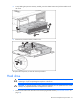
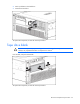
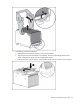
3. Unlock the processor retaining bracket.
4. Open the processor retaining bracket.
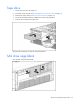
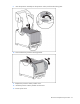
5. Open the processor locking lever.
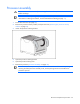
6. Remove the processor ("Processor assembly" on page 34).
IMPORTANT: Do not separate the processor from the heatsink. For information on packing and
returning the failed processor assembly to HP, see the packing instructions included in the
processor spare kit.