
ProLiant DL580 Setup and Installation Guide

Installing the Server 4-27
Compaq Confidential – Need to Know Required
Writer: Cynthia Dresden Project: Compaq ProLiant DL580 Server Setup and Installation Guide Comments:
Part Number: 159213-003 File Name: e-ch4 Installing the Server.doc Last Saved On: 4/5/01 2:26 PM
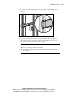
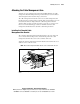
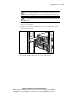
Figure 4-17. Attaching the cable management arm screw-retaining plate
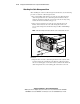
4. Attach the cable management arm to the retaining plate on the rear
frame rail of the rack with two 10-32 x 5/8-inch Phillips-head screws.
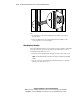
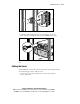
Figure 4-18. Attaching the cable management arm to the rear brace of the
rack
Cabling the Server
After installing the server in the rack and attaching the cable management arm,
use the following procedure to cable the server:
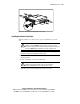
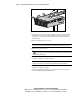
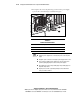
1. Connect power cords and peripheral devices such as the keyboard,
mouse, and monitor.