
ProLiant DL580 Setup and Installation Guide



2-28 Compaq ProLiant DL580 Server Setup and Installation Guide
Compaq Confidential – Need to Know Required
Writer: Cynthia Dresden Project: Compaq ProLiant DL580 Server Setup and Installation Guide Comments:
Part Number: 159213-003 File Name: c-ch2 Installing Hardware Options.doc Last Saved On: 4/9/01 5:07 PM
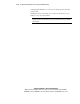
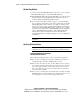
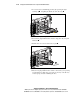
1. Locate and remove the blanking panel bay by squeezing the right
retaining clip
and pulling the blank out of the drive bay .
2
1
Figure 2-17. Removing a blanking panel
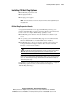
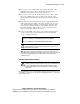
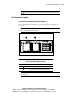
2. Insert the hot-plug SCSI hard drive into the empty drive bay and push
until seated
.
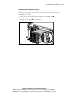
3. Push the drive lever in to lock the drive in place .
2
1
Figure 2-18. Installing a hot-plug SCSI hard drive
4. Place the hot-plug SCSI hard drive online as directed by your operating
system instructions. If the drive was replaced, the array controller does
an auto-spin up and starts rebuilding the drive.