
ProLiant DL580 Setup and Installation Guide
Compaq Confidential – Need to Know Required
Writer: Cynthia Dresden Project: Compaq ProLiant DL580 Server Setup and Installation Guide Comments:
Part Number: 159213-003 File Name: f-ch5 Cabling Guidelines.doc Last Saved On: 4/5/01 2:00 PM
Chapter 5
Cabling Guidelines
This chapter discusses connections and cabling considerations for the
Compaq ProLiant DL580 server. Use the connector and cabling examples as a
guide for cabling the following components:
■ Network interface controller (NIC)
■ External connectors
■ SCSI cabling
■ PCI Hot Plug cabling
■ IDE media cabling
■ Power cabling
Network Interface Controller (NIC)
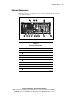
Compaq ProLiant DL580 servers feature an NC3134 Fast Ethernet NIC
64-PCI Dual Base 10/100 network interface card. You can also upgrade your
NIC to take advantage of gigabit transmission speeds by installing the optional
Compaq NC6132 1000 SX Upgrade Module. Contact your Compaq authorized
reseller for purchasing information.
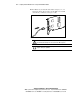
Connect a single network cable to each port of the NIC:
■ For 100BASE-TX, your network cable must be Category 5 twisted-pair
wiring. If you plan to run the NIC at 100 Mbps, it must be connected to
a 100Base-TX hub or switch (not a 100Base-T4 hub).