
Compaq Parallel Database Cluster Model PDC/O2000 for Oracle8i and Windows 2000 Administrator Guide


About This Guide xvii
Compaq Confidential – Need to Know Required
Writer: John Blackburn Project: Parallel Database Cluster Model PDC/02000 for Oracle8i and Windows 2000 Comments:
Part Number: 225082-002 File Name: a-frnt.doc Last Saved On: 6/13/01 3:47 PM
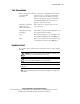
Text Conventions
This document uses the following conventions to distinguish elements of text:
User Input, GUI
Selections
Text a user types or enters appears in boldface.
Items a user selects from a GUI, such as tabs,
buttons, or menu items, also appear in boldface.
User input and GUI selections can appear in
uppercase and lowercase letters.
File Names, Command
Names, Directory
Names, Drive Names
These elements can appear in uppercase and
lowercase letters.
Menu Options, Dialog
Box Names
These elements appear in initial capital letters and
may appear in bold for emphasis.
Type When you are instructed to type information, type
the information without pressing the Enter key.
Enter When you are instructed to enter information, type
the information and then press the Enter key.
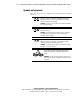
Symbols in Text
These symbols may be found in the text of this guide. They have the following
meanings:
WARNING: Text set off in this manner indicates that failure to follow directions
in the warning could result in bodily harm or loss of life.
CAUTION: Text set off in this manner indicates that failure to follow directions
could result in damage to equipment or loss of information.
IMPORTANT: Text set off in this manner presents clarifying information or specific
instructions.
NOTE: Text set off in this manner presents commentary, sidelights, or interesting points
of information.