
Compaq Parallel Database Cluster Model PDC/O2000 for Oracle8i and Windows 2000 Administrator Guide






Installation and Configuration 5-37
Compaq Confidential – Need to Know Required
Writer: Carol Tatick Project: Compaq Parallel Database Cluster Model PDC/O2000 for Oracle8i and Windows 2000 Administrator Guide Comments:
Part Number: 225082-002 File Name: f-ch5 Installation and Configuration.doc Last Saved On: 6/13/01 10:27 AM
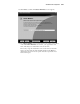
7. Select Typical to install the Ethernet OSDs into the default location,
C:\Compaq\OPS. Skip to step 12.
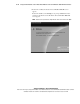
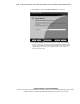
8. Select Custom to install the Ethernet OSDs into a location of your
choice. The Component Locations screen appears.
9. If you want to accept the default location, skip to step 13.
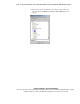
10. If you want to specify an alternate location and you know the exact
directory path, specify it by typing over the default location and skip to
step 12.