
Compaq Parallel Database Cluster Model PDC/O2000 for Oracle8i and Windows 2000 Administrator Guide





Installation and Configuration 5-33
Compaq Confidential – Need to Know Required
Writer: Carol Tatick Project: Compaq Parallel Database Cluster Model PDC/O2000 for Oracle8i and Windows 2000 Administrator Guide Comments:
Part Number: 225082-002 File Name: f-ch5 Installation and Configuration.doc Last Saved On: 6/13/01 10:27 AM
If successful, the net use command returns:
“The command completed successfully.”
If the command is not successful, make sure the administrative shares on
remote node drives are present.
Installing the Ethernet OSDs
To install the OSDs for an Ethernet cluster interconnect:
1. From the installing node, log in as a user who has administrator
privileges on all nodes in the cluster. If all servers in the cluster are in
the same domain, log in as a user who is a member of the Domain
Administrators group. If the servers are in different domains, create a
local user on each server with the same Windows Server user name and
password on each node. Then make that local user a member of the local
Administrators group on each node before installing the OSDs.
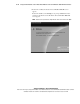
2. Insert the Compaq Parallel Database Cluster Clustering Software for
Oracle8i on Microsoft Windows 2000 CD into the CD-ROM drive.