
ProLiant DL560 Server Maintenance and Service Guide



20 HP ProLiant DL560 Server Maintenance and Service Guide
To replace the component, reverse the removal procedure.
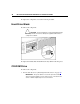
Hard Drive Blank
To remove the component:
CAUTION: To prevent improper cooling and thermal damage,
do not operate the server unless all bays are populated with either a
component or a blank.
To replace the blank, slide the blank into the bay until it locks into place.
CD-ROM Drive
To remove the component:
1. Power down the server ("Powering Down the Server" on page 16).
IMPORTANT: The ejector button is recessed to prevent accidental
ejection; it may be helpful to use the Torx T-15 tool on the back of the
server or similar shaped object to access the button.