
HP ProLiant DL170h G6 Server Software Configuration Guide

System BIOS configuration 11
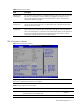
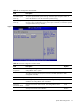
Table 4 Advanced menu fields
Field Description
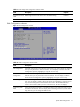
Remote Access
Configuration
You can select console redirection in the left frame of the screen to go to the sub menu for
that item. You can display a console redirection by highlighting it using the <Arrow>
keys .Console redirection Setup options are described in this section. The settings are
described on the following pages.
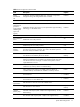
PCI BUS
Configuration
You can use this screen to select options for PCI Express Devices. For Gen 1, the data
transfer rate for PCI Express Devices is 2.5 GHz and for Gen 2 the data transfer rate for
PCI Express Devices is 5 GHz.
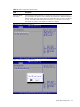
Power
Configuration
You can use this screen to select options for the Power Configuration. Use the up and
down <Arrow> keys to select an item. Use the <Plus> and <Minus> keys to change the
value of the selected option. A description of the selected item appears on the right side of
the screen. The settings are described on the following pages. Please note in order to
change each individual option the user must select custom.
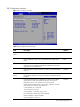
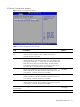
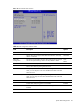
CPU Configuration submenu
Figure 6 CPU Configuration submenu
NOTE: Data Reuse option is for Intel
®
Xeon
®
5600 Series Processors only. It will not display when
Intel
®
Xeon
®
5500 Series Processors are installed.
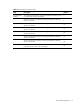
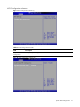
Table 5 CPU Configuration submenu fields
Field Description Options
Data Reuse Data transfers between cache levels are optimized. Set according to
observed system. It is the default value.
Enabled
Data transfers between cache levels are not optimized. Disabled