
HP ProLiant DL385p Gen8 Server MSG


Removal and replacement procedures 42
4.
Extend ("Extend the server from the rack" on page 27) or remove ("Remove the server from the rack" on
page 28) the server from the rack.
5. Remove the access panel ("Access panel" on page 32).
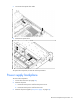
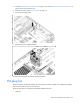
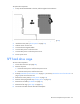
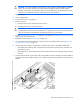
6. Disconnect the SATA cable.
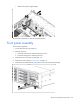
7. Remove the power supply backplane.
To replace the component, reverse the removal procedure.
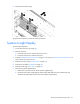
Hot-plug fan
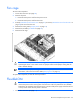
The server supports variable fan speeds. The fans operate at minimum speed until a temperature change
requires a fan speed increase to cool the server.
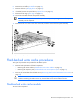
The server shuts down in the following temperature-related scenarios:
• At POST: