
HP ProLiant DL385 Generation 5 Server Maintenance and Service Guide





Removal and replacement procedures 73
To replace the component:
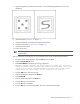
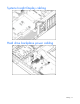
1. Install the I/O fan bracket.
2. Secure the I/O fan bracket to the system board.
3. Install the system board ("System board" on page 65).
4. Install the DIMMs ("DIMMs" on page 55).
5. Install all hot-plug fans in the I/O fan bracket ("Hot-plug fan" on page 36).
6. Install the processor fan bracket ("Processor fan bracket" on page 41).
7. Install the expansion boards in slot 1 and 2 ("Expansion board (slots 1 and 2)" on page 63).
8. Install the PCI riser cage ("PCI riser cage" on page 60).
9. Install the power supply backplane ("Power supply backplane" on page 58).
10. Install the power supply cage assembly ("Power supply cage assembly" on page 37).
11. Install the air baffle.
12. Install the battery pack ("Removing the battery pack" on page 39).