
HP ProLiant DL385 Generation 5 Server Maintenance and Service Guide



Removal and replacement procedures 44
7.
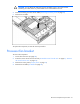
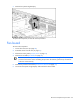
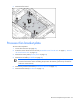
Remove the Systems Insight Display.
To replace the component, reverse the removal procedure.
Fan board
To remove the component:
1. Power down the server (on page 28).
2. Extend the server from the rack (on page 27).
3. Remove the access panel ("Access panel" on page 30).
4. Remove the air baffle ("Air baffle" on page 40).
IMPORTANT: For this procedure, you do not need to remove the hot-plug fans from the
processor fan bracket. When reinstalling the processor fan bracket, press the top of each fan
to be sure it seats securely.
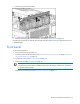
5. Remove the processor fan bracket ("Processor fan bracket" on page 41).
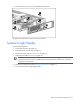
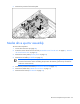
6. Disconnect the Systems Insight Display cable and the fan board cable.