
HP ProLiant DL385 Generation 5 Server Maintenance and Service Guide




Removal and replacement procedures 38
6.
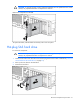
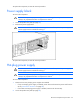
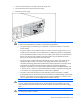
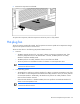
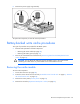
Remove the power supply cage assembly.
To replace the component, reverse the removal procedure.
Battery-backed write cache procedures
Two types of procedures are provided for the BBWC option:
• Removal and replacement of failed components:
o Removing the cache module (on page 38)
o Removing the battery pack (on page 39)
• Recovery of cached data from a failed server ("Recovering data from the battery-backed write
cache" on page 40)
CAUTION: Do not detach the cable that connects the battery pack to the cache module.
Detaching the cable causes any unsaved data in the cache module to be lost.
Removing the cache module
To remove the component:
1. Power down the server (on page 28).
2. Extend or remove the server from the rack ("Extend the server from the rack" on page 27, "Remove
the server from the rack" on page 29).
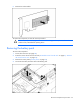
3. Remove the access panel ("Access panel" on page 30).
4. Remove the controller ("Expansion board (slots 1 and 2)" on page 63).