
HP ProLiant DL385 Generation 2 Server Maintenance and Service Guide
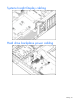
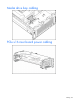

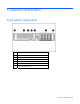

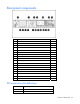
Table Of Contents
- HP ProLiant DL385 Generation 2 Server Maintenance and Service Guide
- Notice
- Contents
- Customer self repair
- Illustrated parts catalog
- Removal and replacement procedures
- Required tools
- Safety considerations
- Preparation procedures
- Access panel
- SAS hard drive blank
- Hot-plug SAS hard drive
- Power supply blank
- Hot-plug power supply
- DC power supply
- Media drive or blank
- Hot-plug fan
- Power supply cage assembly
- Battery-backed write cache procedures
- Air baffle
- Processor fan bracket
- Front bezel
- Systems Insight Display
- Fan board
- Processor fan bracket plate
- Media drive ejector assembly
- PPM
- PPM retainer
- Heatsink
- Processor
- DIMMs
- Power supply backplane
- Hard drive backplane
- Hard drive backplane retainer
- PCI riser cage
- Expansion slot covers
- Expansion slot cover retainer (slots 1 and 2)
- Expansion boards
- Battery
- System board
- I/O fan bracket
- Cabling
- Diagnostic tools
- Component identification
- Front panel components
- Front panel LEDs and buttons
- Rear panel components
- Rear panel LEDs and buttons
- System board
- Systems Insight Display LEDs
- Systems Insight Display LEDs and internal health LED combinations
- Device numbers
- SAS and SATA hard drive LEDs
- SAS and SATA hard drive LED combinations
- PCI riser cage LED
- Battery pack LEDs
- Hot-plug fans (6-fan configuration)
- Hot-plug fans (12-fan configuration)
- Fan board components
- Specifications
- Acronyms and abbreviations

Diagnostic tools 86
• Installing software drivers directly from the CD. With systems that have internet connection, the
SmartStart Autorun Menu provides access to a complete list of ProLiant system software.
• Enabling access to the Array Configuration Utility, Array Diagnostic Utility, and Erase Utility
SmartStart is included in the HP ProLiant Essentials Foundation Pack. For more information about
SmartStart software, refer to the HP ProLiant Essentials Foundation Pack or the HP website
(http://h18013.www1.hp.com/products/servers/management/smartstart/index.html
).
ROMPaq utility
The ROMPaq utility enables you to upgrade the system firmware (BIOS) or Lights-Out 100 firmware. To
upgrade the firmware, insert a ROMPaq diskette into the diskette drive or ROMPaq USB Key into an
available USB port and boot the system.
The ROMPaq utility checks the system and provides a choice (if more than one exists) of available
firmware revisions.
For more information about the ROMPaq utility, see the HP website (http://www.hp.com/go/support
).
System Online ROM flash component utility
The Online ROM Flash Component Utility enables system administrators to efficiently upgrade system or
controller ROM images across a wide range of servers and array controllers. This tool has the following
features:
• Works offline and online
• Supports Microsoft® Windows NT®, Windows® 2000, Windows Server™ 2003, Novell Netware,
and Linux operating systems
IMPORTANT: This utility supports operating systems that may not be supported by the server.
For operating systems supported by the server, see the HP website
(http://www.hp.com/support
).
• Integrates with other software maintenance, deployment, and operating system tools
• Automatically checks for hardware, firmware, and operating system dependencies, and installs only
the correct ROM upgrades required by each target server
To download the tool and for more information, see the HP website (http://www.hp.com/support
).
HP Insight Diagnostics
HP Insight Diagnostics is a proactive server management tool, available in both offline and online
versions, that provides diagnostics and troubleshooting capabilities to assist IT administrators who verify
server installations, troubleshoot problems, and perform repair validation.
HP Insight Diagnostics Offline Edition performs various in-depth system and component testing while the
OS is not running. To run this utility, launch the SmartStart CD.
HP Insight Diagnostics Online Edition is a web-based application that captures system configuration and
other related data needed for effective server management. Available in Microsoft® Windows® and
Linux versions, the utility helps to ensure proper system operation.