
HP ProLiant DL385 Generation 2 Server Maintenance and Service Guide

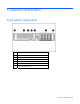

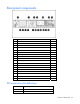
Table Of Contents
- HP ProLiant DL385 Generation 2 Server Maintenance and Service Guide
- Notice
- Contents
- Customer self repair
- Illustrated parts catalog
- Removal and replacement procedures
- Required tools
- Safety considerations
- Preparation procedures
- Access panel
- SAS hard drive blank
- Hot-plug SAS hard drive
- Power supply blank
- Hot-plug power supply
- DC power supply
- Media drive or blank
- Hot-plug fan
- Power supply cage assembly
- Battery-backed write cache procedures
- Air baffle
- Processor fan bracket
- Front bezel
- Systems Insight Display
- Fan board
- Processor fan bracket plate
- Media drive ejector assembly
- PPM
- PPM retainer
- Heatsink
- Processor
- DIMMs
- Power supply backplane
- Hard drive backplane
- Hard drive backplane retainer
- PCI riser cage
- Expansion slot covers
- Expansion slot cover retainer (slots 1 and 2)
- Expansion boards
- Battery
- System board
- I/O fan bracket
- Cabling
- Diagnostic tools
- Component identification
- Front panel components
- Front panel LEDs and buttons
- Rear panel components
- Rear panel LEDs and buttons
- System board
- Systems Insight Display LEDs
- Systems Insight Display LEDs and internal health LED combinations
- Device numbers
- SAS and SATA hard drive LEDs
- SAS and SATA hard drive LED combinations
- PCI riser cage LED
- Battery pack LEDs
- Hot-plug fans (6-fan configuration)
- Hot-plug fans (12-fan configuration)
- Fan board components
- Specifications
- Acronyms and abbreviations

Diagnostic tools 85
If you do not use the utility, ORCA will default to the standard configuration.
For more information regarding array controller configuration, refer to the controller user guide.
For more information regarding the default configurations that ORCA uses, refer to the HP ROM-Based
Setup Utility User Guide on the Documentation CD.
HP ProLiant Essentials Rapid Deployment Pack
The RDP software is the preferred method for rapid, high-volume server deployments. The RDP software
integrates two powerful products: Altiris Deployment Solution and the HP ProLiant Integration Module.
The intuitive graphical user interface of the Altiris Deployment Solution console provides simplified point-
and-click and drag-and-drop operations that enable you to deploy target servers, including server blades,
remotely. It enables you to perform imaging or scripting functions and maintain software images.
For more information about the RDP, refer to the HP ProLiant Essentials Rapid Deployment Pack CD or
refer to the HP website (http://www.hp.com/servers/rdp
).
HP ROM-Based Setup Utility
RBSU is a configuration utility embedded in ProLiant servers that performs a wide range of configuration
activities that can include the following:
• Configuring system devices and installed options
• Enabling and disabling system features
• Displaying system information
• Selecting the primary boot controller
• Configuring memory options
• Language selection
For more information on RBSU, see the HP ROM-Based Setup Utility User Guide on the Documentation CD
or the HP website (http://www.hp.com/support/smartstart/documentation
).
SmartStart software
SmartStart is a collection of software that optimizes single-server setup, providing a simple and consistent
way to deploy server configuration. SmartStart has been tested on many ProLiant server products,
resulting in proven, reliable configurations.
SmartStart assists the deployment process by performing a wide range of configuration activities,
including:
• Configuring hardware using embedded configuration utilities, such as RBSU and ORCA
• Preparing the system for installing "off-the-shelf" versions of leading operating system software
• Installing optimized server drivers, management agents, and utilities automatically with every
assisted installation
• Testing server hardware using the Insight Diagnostics Utility ("HP Insight Diagnostics" on page 86)